This article will provide an overview of the Document Transfer feature of Consent2Go
Introduction
Consent2Go has a secure data transfer feature. This ensures that student and staff data can be uploaded to our system securely, and removes the need to email data.
This may be used by the Consent2Go team to provide reports to staff, or by the school to provide student data or other sensitive information back to the C2G team.
Locating the Document Transfer
This tab is found under the Cogwheel in the top right of the system.
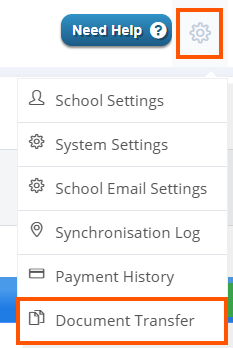
Please Note: you will require access to this field in order to see/open the tab.
Uploading a Document
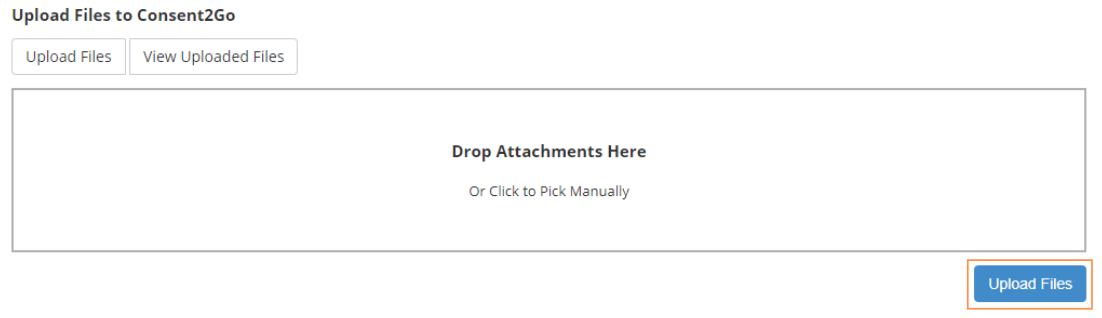
Files can be uploaded through this section by dragging and dropping files into the box, or clicking it and choosing the file from the pop-up display. Once attached, select 'Upload Files' to complete the process.
Viewing a Document
To see a list of the documents uploaded through this process, select the 'View Uploaded Files' button.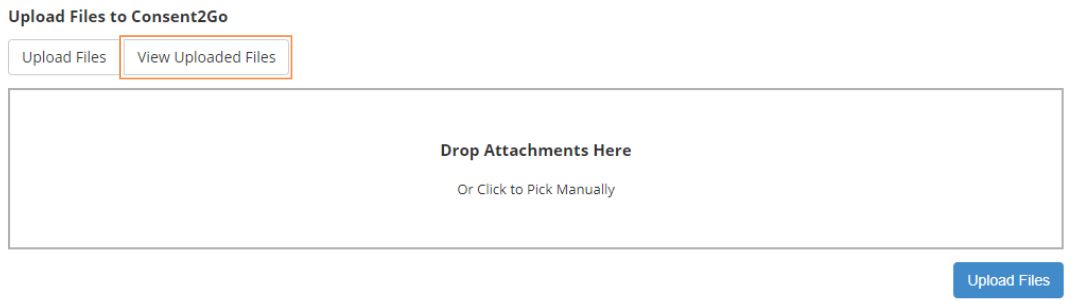
Downloading and Deleting a Document
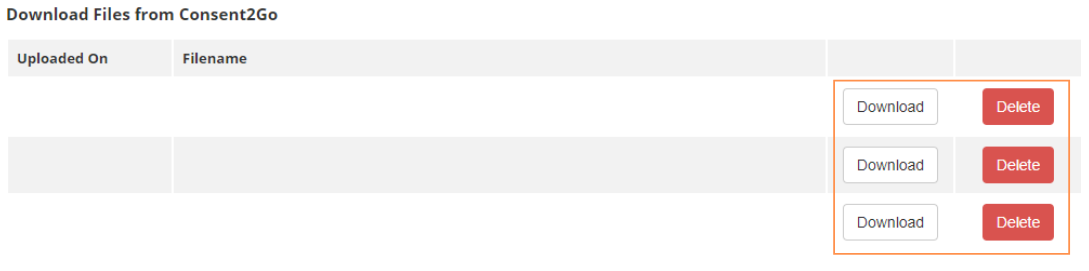
These files can be downloaded and deleted from this section by selecting the below buttons:

Was this article helpful?
That’s Great!
Thank you for your feedback
Sorry! We couldn't be helpful
Thank you for your feedback
Feedback sent
We appreciate your effort and will try to fix the article